Sans-serif

Sulphur Point Font

We are going to introduce Sulphur Point Font that comes in sans serif font family. This font comes in OTF and TTF formats.

Free for Personal Use TTF, OTF Sans-serif
Updated December 2022 86 KB
Sulphur Point Font

About This Font

Sulphur Point Font is a famous sans serif typeface that was established for the first time by Dale Sattler. This font has attractive weights that are suitable for making different types of styles. The TTF file of this typeface has 264 glyphs that come with 1024 units per em.

It has 332 characters along with Basic Latin, IPA Extensions, Spcing Modified Letters, Number Forms, General Punctuations, Latin Extended Additional, Superscripts and Subscripts, Currency Symbols, Mathematical Operators, and Block Elements. This font has support a lot of international languages like Greek, Zulu, French, and Indian.

This Google font is specially used for attractive heading purposes due to its smooth and clean look. You can make a combination of this font with manrope font that you can easily use for sans serif design purposes. Its generator tool is great for use in personal graphic design purposes.

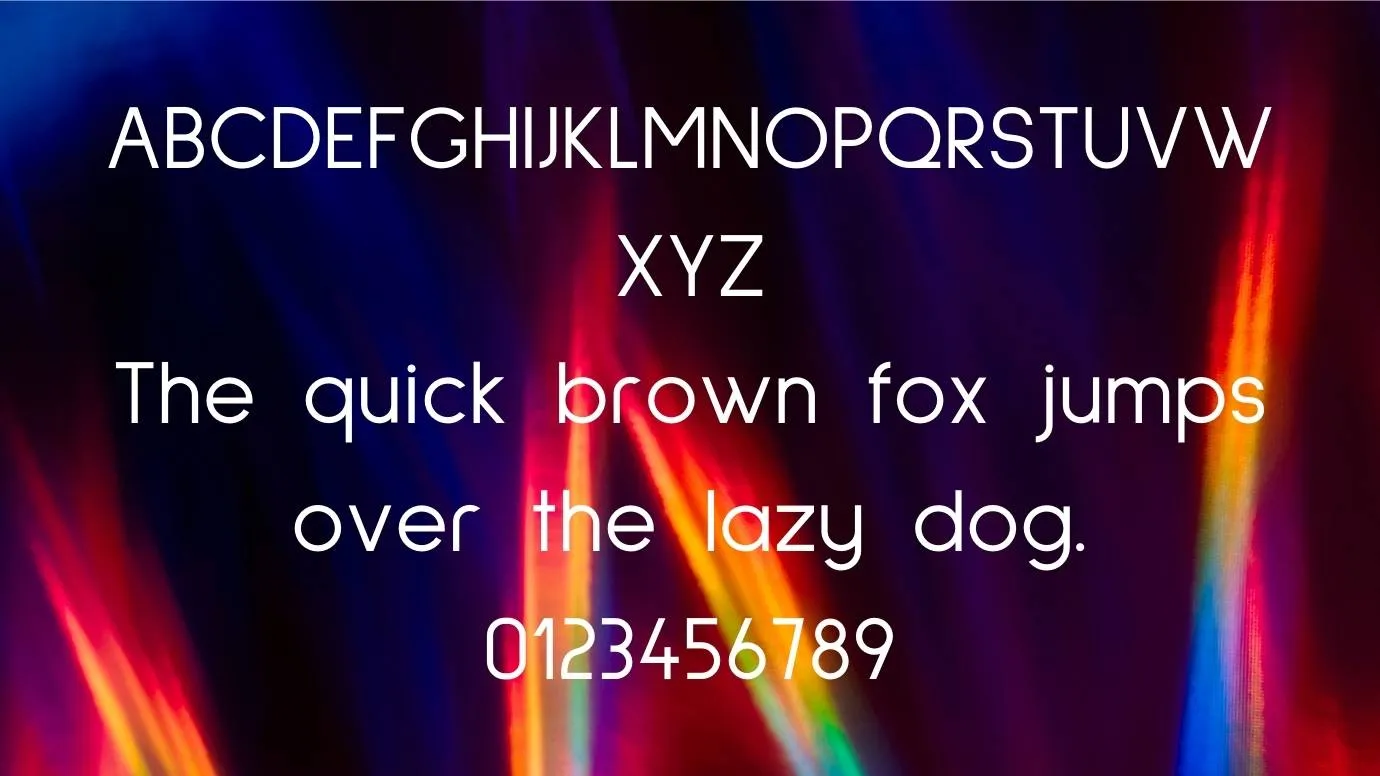
Preview Image

Sulphur Point Font preview 1

Tip: Use the generator below to test your own text with this font.

Font Details

License
Free for Personal Use
Formats
TTF, OTF, ZIP
File Size
86 KB
Category
Sans-serif
Keywords
Sulphur Point Font
Updated
December 2022

How to Install

1

Download the font file by clicking the download button above. You'll get a ZIP archive.

2

Extract the ZIP file to find the .ttf or .otf font file inside.

3

Double-click the font file. Your system's font viewer will open with a preview.

4

Click "Install Font" (macOS) or "Install" (Windows) to add it to your system.

5

Open your app (Photoshop, Canva, Word, etc.) and select the font from the font list. Enjoy!

Preview & Generator

48px
0px
Effects
Sulphur Point Font