Display

Boston Red Sox Font

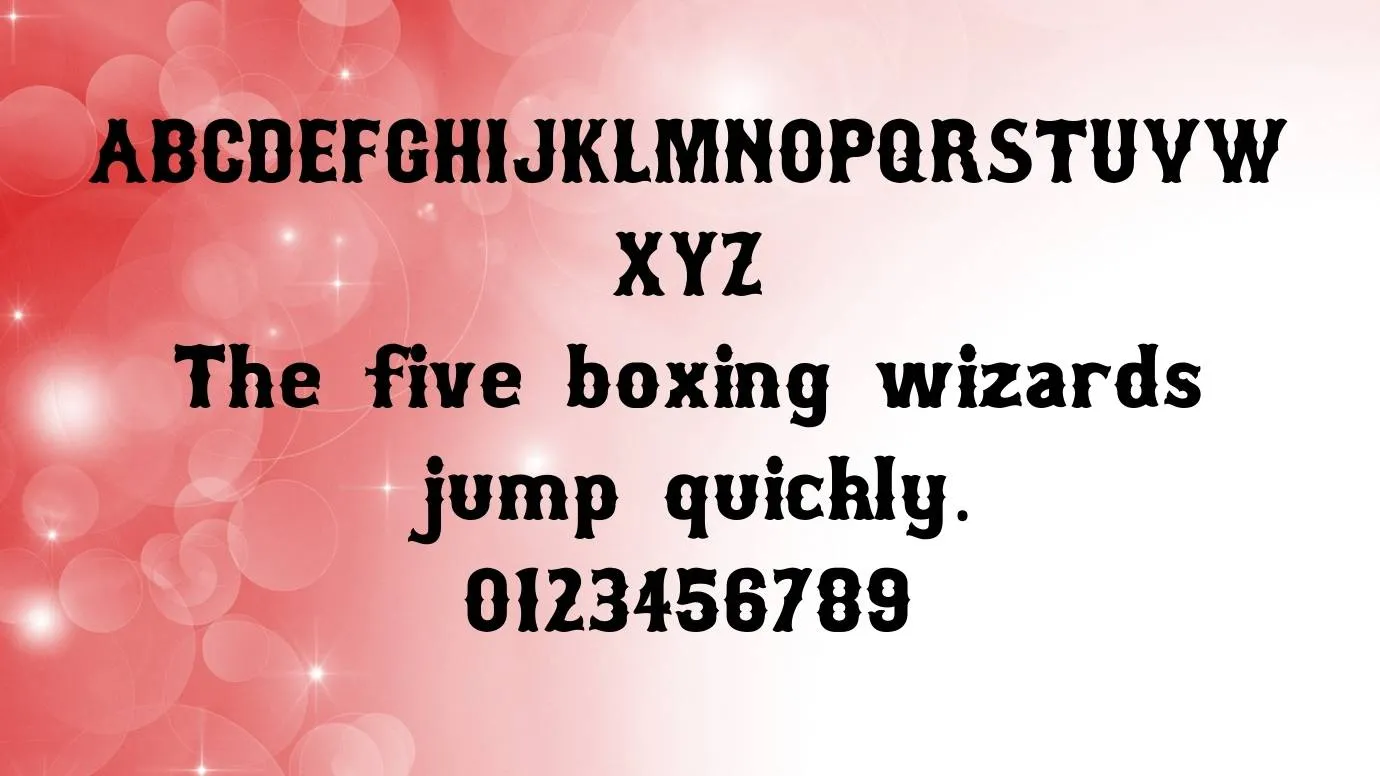
Boston Red Sox Font is a fancy display font and It has stylish corner characters that have magazine designs.

Free for Personal Use TTF, OTF Display
Updated September 2022 171 KB
Boston Red Sox Font

About This Font

Here, We are going to consult another display typeface known as Boston Red Sox Font. This modern typeface was designed by Lee Gordon. The demand for this typeface is so high in the font market because it is used for the logo of an American baseball team known as the Red Sox. This team has gone the award of win nine world championships and the last victory was in 2018.

The main font that is used in the creation of this font is Bosox Font. Many designers like the unique features of this typeface and use it for their decorative design purposes. This attractive typeface has 420 glyphs including 2048 units of 1 em. It has stylish corner characters that have magazine designs.

This font is perfect for use in Microsoft Word, Excel, and other related software. It has many features but the generator tool feature of this font is so famous feature of this typeface. This typeface is also best for making combinations with the blacklisted font which helps in creating many other unique designs.

Preview Image

Boston Red Sox Font preview 1

Tip: Use the generator below to test your own text with this font.

Font Details

License
Free for Personal Use
Formats
TTF, OTF, ZIP
File Size
171 KB
Category
Display
Keywords
Boston Red Sox Font
Updated
September 2022

How to Install

1

Download the font file by clicking the download button above. You'll get a ZIP archive.

2

Extract the ZIP file to find the .ttf or .otf font file inside.

3

Double-click the font file. Your system's font viewer will open with a preview.

4

Click "Install Font" (macOS) or "Install" (Windows) to add it to your system.

5

Open your app (Photoshop, Canva, Word, etc.) and select the font from the font list. Enjoy!

Preview & Generator

48px
0px
Effects
Boston Red Sox Font