Fancy

Queen Font

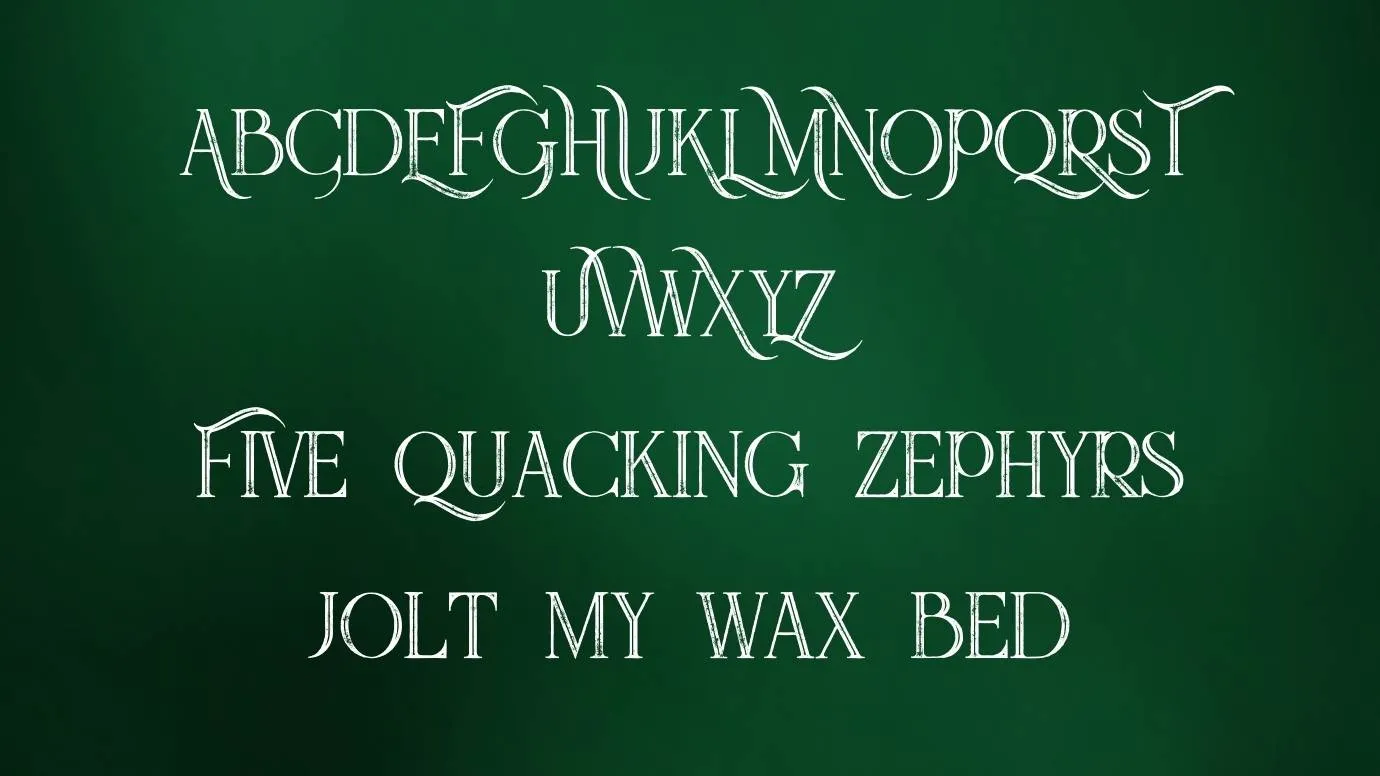
Queen Font is a fancy font and It is perfect for watermark logo designs that increase the uniqueness of your design.

Free for Personal Use TTF, OTF Fancy
Updated October 2022 1.5 MB
Queen Font

About This Font

Today, We are presenting a new fancy serif font known as Queen Font. This modern font has fancy serif shape characters that's why it belongs to the fancy category in the font family. This versatile font was designed by a brilliant designer known asPeter Olexa. It is best for use for your new headers.

This font has some long swash characters in uppercase letters that are E, F, A, C, M, L, N, K, I, H, G, T, R, P, U, V, X, W, Z, and only Q is the lower case characters. Due to its stylish look characters, a lot of designers love and use this font in their projects. It is perfect for watermark logo designs that increase the uniqueness of your design.

It is also useable for monogram designs and masthead designs. This interesting font has many unique features and you can use all features by purchasing its paid version. It is also perfect for pairing with another fancy serif font known as paris pro font which is also best for making more similar designs.

Preview Image

Queen Font preview 1

Tip: Use the generator below to test your own text with this font.

Font Details

License
Free for Personal Use
Formats
TTF, OTF, ZIP
File Size
1.5 MB
Category
Fancy
Keywords
Queen Font
Updated
October 2022

How to Install

1

Download the font file by clicking the download button above. You'll get a ZIP archive.

2

Extract the ZIP file to find the .ttf or .otf font file inside.

3

Double-click the font file. Your system's font viewer will open with a preview.

4

Click "Install Font" (macOS) or "Install" (Windows) to add it to your system.

5

Open your app (Photoshop, Canva, Word, etc.) and select the font from the font list. Enjoy!

Preview & Generator

48px
0px
Effects
Queen Font