Sans-serif

Liquido Font

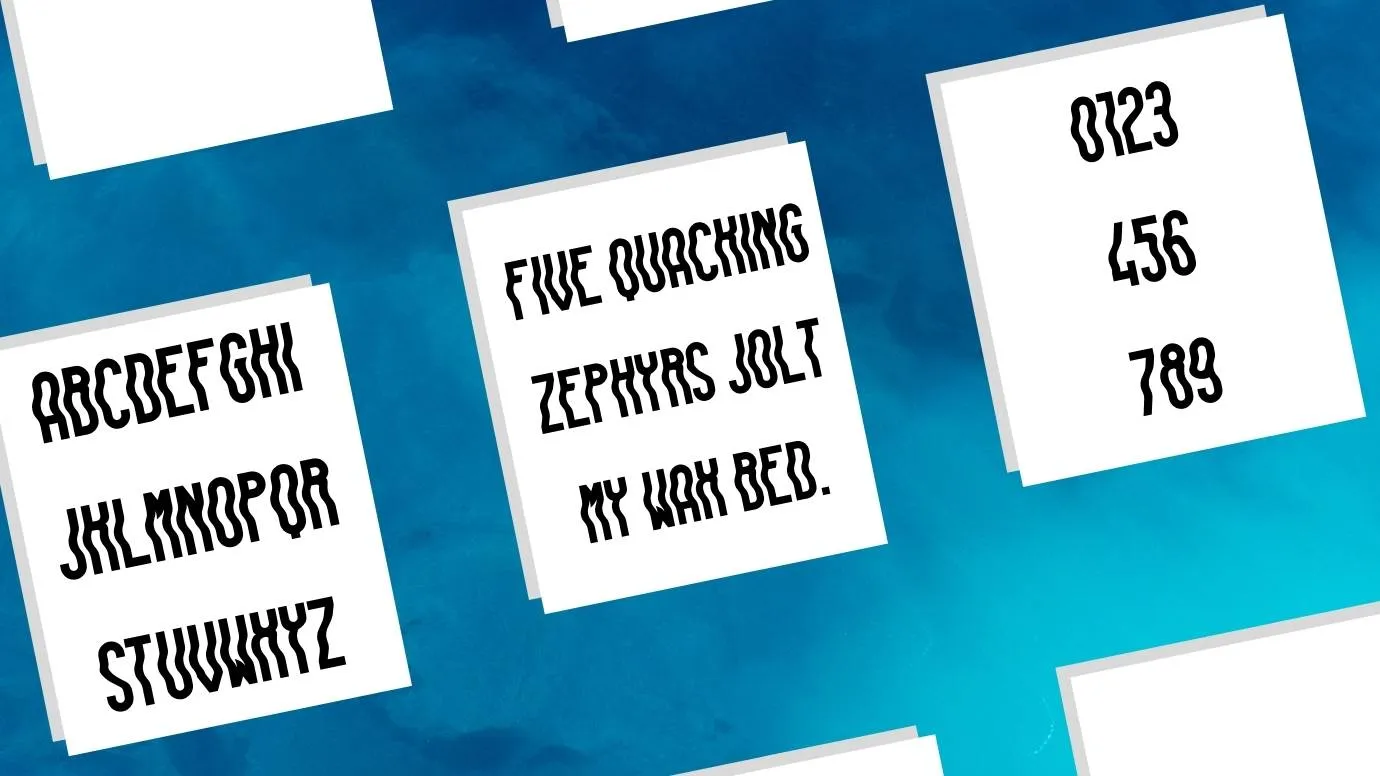
Here, We are presenting a new Sans-serif typeface known as Liquido Font. It was designed by a famous Italian designer Mr. Alessandro Comotti.

Free for Personal Use TTF, OTF Sans-serif
Updated February 2022 14 KB
Liquido Font

About This Font

Liquido Fontare presenting a new Sans-serif typeface known as Liquido Font. This beautiful Sans-serif typeface was designed by a famous Italian designer Mr. Alessandro Comotti. It was published on 19th January 2015. This typeface contains more than 150 characters and two weights including Fluid and Regular.

This typeface has outstanding features for every design field. It is also perfect for creating branding logos and other related purposes. It comes in 50 glyphs and more than a hundred languages support this typeface like French, Russian, Spanish, Arabic, English, etc. This typeface has an amazing look and unique style.

Preview Image

Liquido Font preview 1

Tip: Use the generator below to test your own text with this font.

Font Details

License
Free for Personal Use
Formats
TTF, OTF, ZIP
File Size
14 KB
Category
Sans-serif
Keywords
Liquido Font
Updated
February 2022

How to Install

1

Download the font file by clicking the download button above. You'll get a ZIP archive.

2

Extract the ZIP file to find the .ttf or .otf font file inside.

3

Double-click the font file. Your system's font viewer will open with a preview.

4

Click "Install Font" (macOS) or "Install" (Windows) to add it to your system.

5

Open your app (Photoshop, Canva, Word, etc.) and select the font from the font list. Enjoy!

Preview & Generator

48px
0px
Effects
Liquido Font