Display

Currency Font

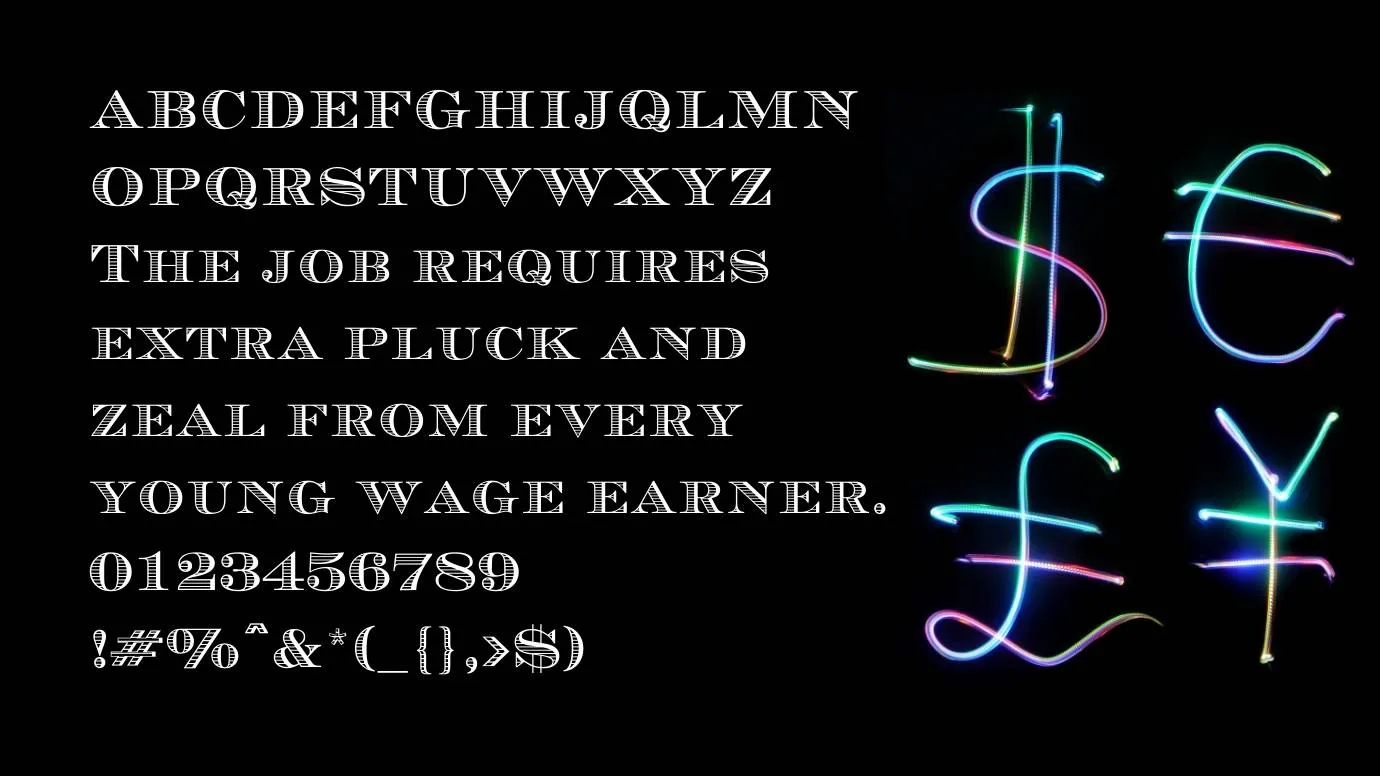
Currency font is a gorgeous and fabulous typeface that belongs to the display typeface family and it was designed and shared by Jayde Garrow.

Free for Personal Use TTF, OTF Display
Updated January 2020 58 KB
Currency Font

About This Font

Currency font is a gorgeous and fabulous typeface that belongs to the display typeface family and it was designed and shared by Jayde Garrow. He created it especially for Mathematical numerals and bank currencies. The font family contains 5 weights regular, medium, light, demi, and daring. A stylish font that is perfect for creating beautiful headlines and titles.

In each weight has amazing 220 characters that are upper letters, lower letters, punctuation marks, symbols, icons, and many special characters. Furthermore, the font family supports extensive language support including Latin and Cyrillic characters, high-quality glyphs, stylistic alternative, texture ligatures, and swashes, all these make the typeface suitable for a huge variety of designing purposes.

It has a very attractive watercolor look that makes it suitable for lady's products. After the release, it has been grabbed everyone's attention and became a favorable typeface of every other designer. The Celtic font is the closest font to this typeface. It has also offered a free design service through its online font generator tool which has full of different colors and text effects that can be used for converting your simple text into graphics.

Preview Image

Currency Font preview 1

Tip: Use the generator below to test your own text with this font.

Font Details

License
Free for Personal Use
Formats
TTF, OTF, ZIP
File Size
58 KB
Category
Display
Keywords
Currency Font
Updated
January 2020

How to Install

1

Download the font file by clicking the download button above. You'll get a ZIP archive.

2

Extract the ZIP file to find the .ttf or .otf font file inside.

3

Double-click the font file. Your system's font viewer will open with a preview.

4

Click "Install Font" (macOS) or "Install" (Windows) to add it to your system.

5

Open your app (Photoshop, Canva, Word, etc.) and select the font from the font list. Enjoy!

Preview & Generator

48px
0px
Effects
Currency Font