Sans-serif

Bebas Kai Font

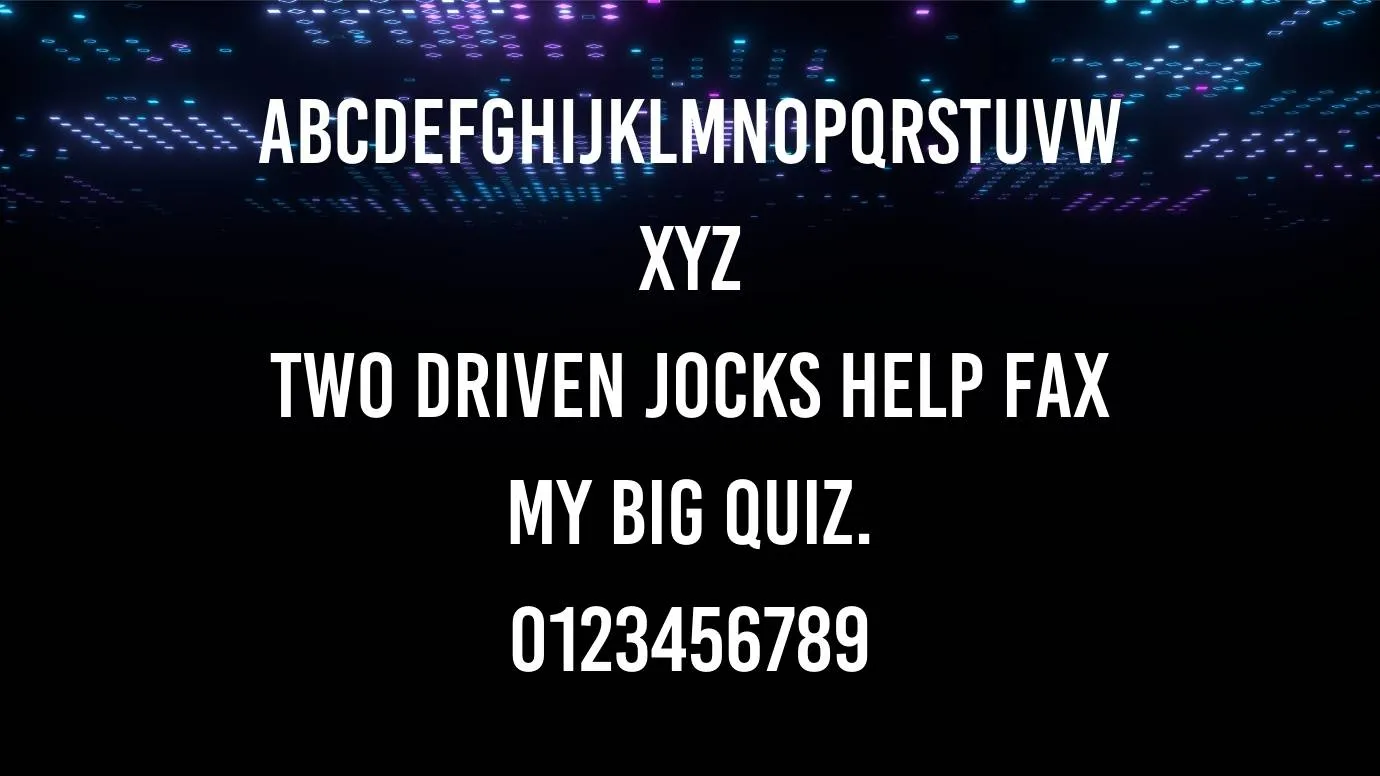
Bebas Kai Font is an excellent texture style and it was designed by Ryoichi Tsunekawa in a Japanese company known as Dharma Type.

Free for Personal Use TTF, OTF Sans-serif
Updated December 2019 43 KB
Bebas Kai Font

About This Font

Introducing a new sans-serif font! Bebas Kai Font is an excellent texture style and it was designed by Ryoichi Tsunekawa in a Japanese company known as Dharma Type. Due to its bold strokes, this typeface is best for use in the place of display fonts. This typeface comes in 115 unique glyphs along with 1000 units/em.

It has more than 395 characters including numbers, symbols, and punctuation marks. The characters of this font are high and bold and the width is standard as compared to the other fonts. Due to its bold corners, this typeface is best for combination with other fonts like Din Condensed Font.

This typeface is available in both OTF and TTF files and it has one regular style. It is best for heading and titling purposes due to its bold and attractive letters. The uniqueness and beauty of this typeface are so popular all over the world. It has so many clients that want to use it for their personal and other purposes.

Preview Image

Bebas Kai Font preview 1

Tip: Use the generator below to test your own text with this font.

Font Details

License
Free for Personal Use
Formats
TTF, OTF, ZIP
File Size
43 KB
Category
Sans-serif
Keywords
Bebas Kai Font
Updated
December 2019

How to Install

1

Download the font file by clicking the download button above. You'll get a ZIP archive.

2

Extract the ZIP file to find the .ttf or .otf font file inside.

3

Double-click the font file. Your system's font viewer will open with a preview.

4

Click "Install Font" (macOS) or "Install" (Windows) to add it to your system.

5

Open your app (Photoshop, Canva, Word, etc.) and select the font from the font list. Enjoy!

Preview & Generator

48px
0px
Effects
Bebas Kai Font